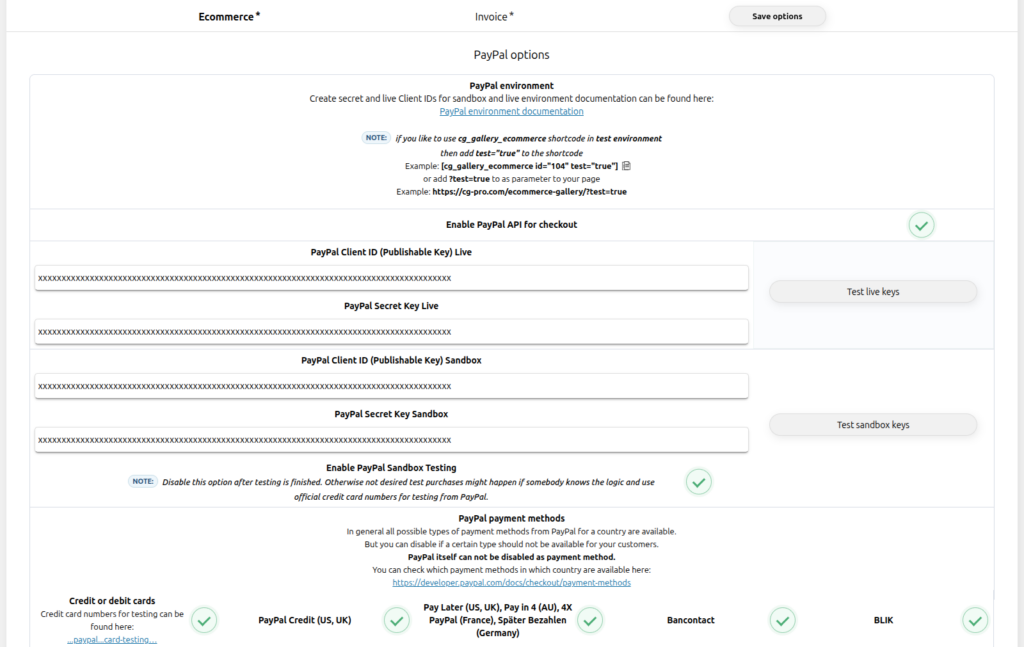
Keep environments separate
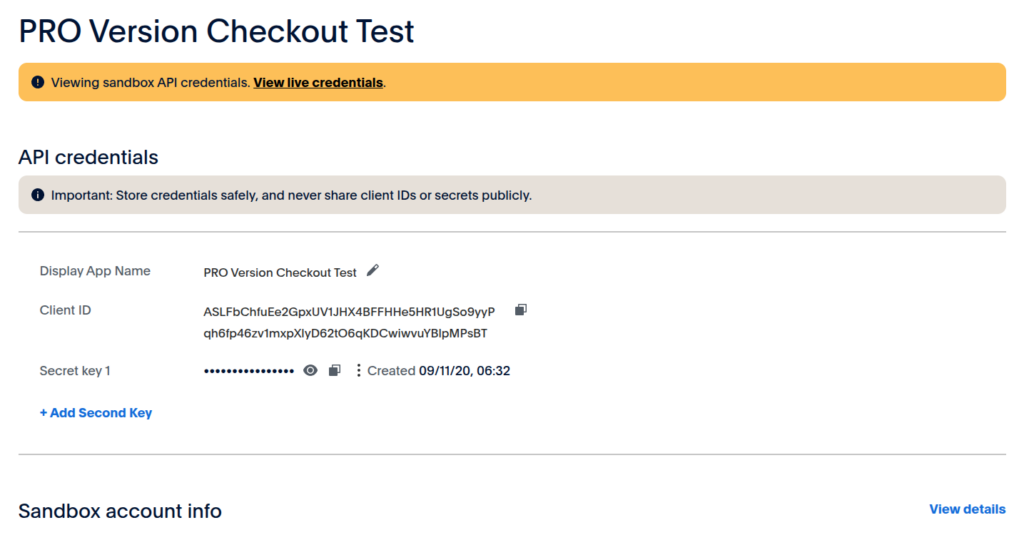
Use Sandbox Client ID and Secret only while Sandbox testing is enabled. Replace both values with the separate Live credentials when you launch. Never mix a Sandbox credential with a Live credential.

Contest Gallery documentation
Create PayPal Sandbox and Live credentials, prepare test accounts and inspect webhook events before enabling real payments.
Use the Sandbox environment while configuring and testing Contest Gallery. Switch to Live only after the complete integration has been verified.
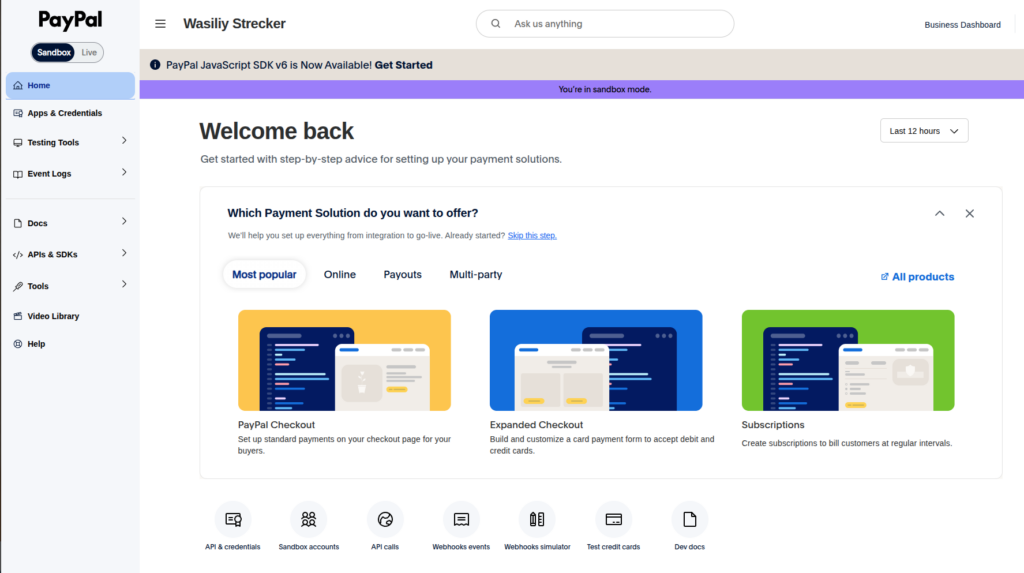
Open Apps & Credentials, keep Sandbox selected and create or select the application used by Contest Gallery. Copy the Client ID and Secret into the matching plugin environment.
Open PayPal Sandbox Apps & Credentials →
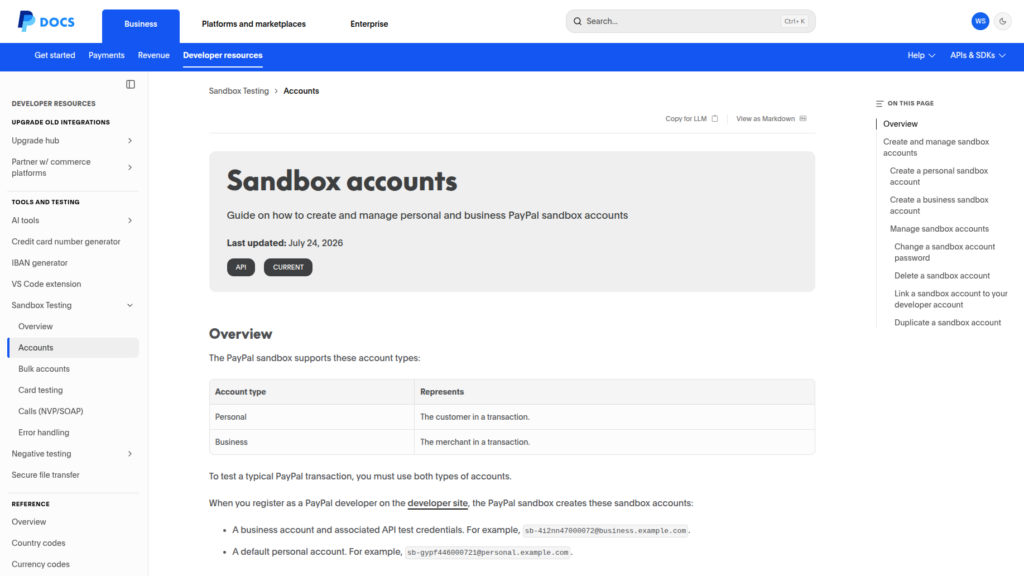
A normal test payment uses a Personal account as the buyer and a Business account as the merchant. Retrieve their test login data from Sandbox Accounts and keep those credentials separate from real PayPal accounts.
Open PayPal Sandbox Accounts → Read the official Sandbox Accounts guide →
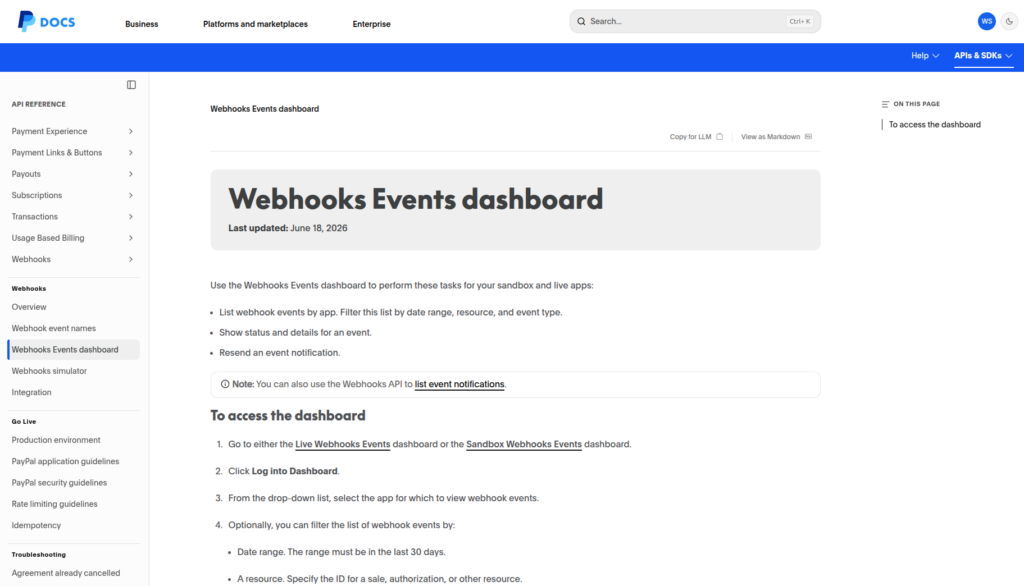
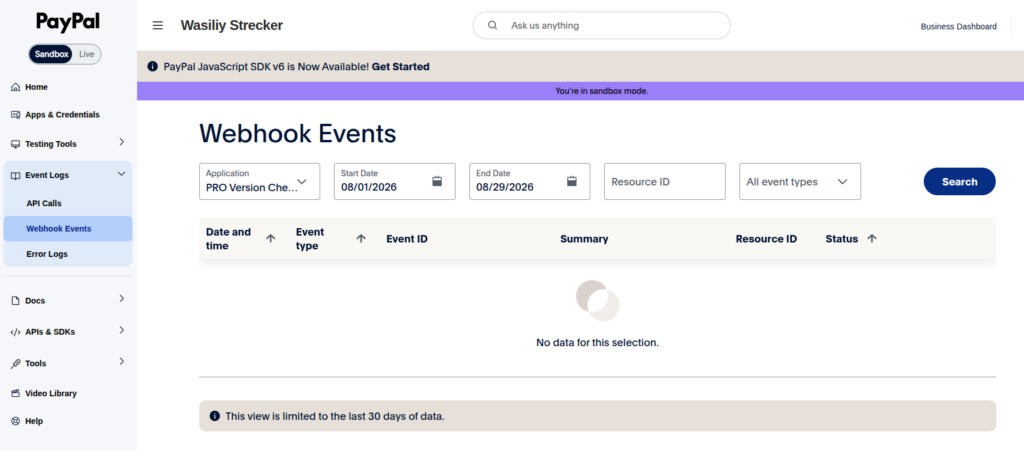
The Webhook Events dashboard lists notifications for the selected Sandbox or Live app. Filter by date, resource and event type when a payment status does not reach WordPress as expected.
Open Sandbox Webhook Events → Read the official Webhook Events guide →
Use these checks after connecting PayPal and before accepting real customer payments.
Use Sandbox Client ID and Secret only while Sandbox testing is enabled. Replace both values with the separate Live credentials when you launch. Never mix a Sandbox credential with a Live credential.
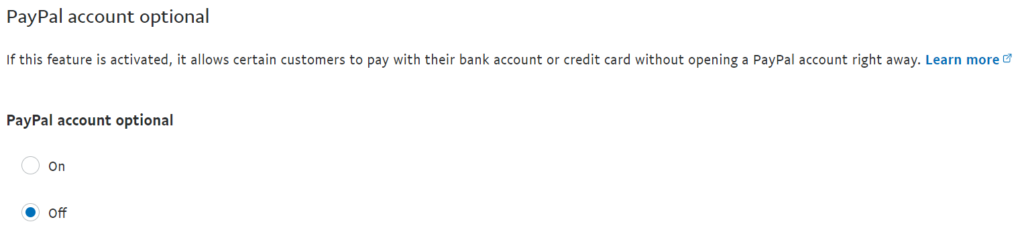
PayPal Account Optional set to On allows eligible buyers to pay by debit or credit card without creating a PayPal account. Set it to Off if your checkout should require a PayPal account. Availability can still depend on the buyer, region and PayPal risk checks.
In PayPal, open Account Settings → Website payments → Website preferences → Update. Then review PayPal Account Optional.
Never enter a real customer card in the Sandbox. Use PayPal test card data with a future expiration date and the documented CVV format. Also test a rejected payment so the customer error path is verified.
Treat PENDING as unfinished. Deliver downloads, activate paid actions or mark an order paid only after the payment reaches COMPLETED. If the status remains pending, inspect the matching Webhook Event and provider response before retrying.
The option to continue without a PayPal account is shown only when the buyer and transaction are eligible for guest checkout. The exact wording and screen design can change as PayPal updates its checkout.
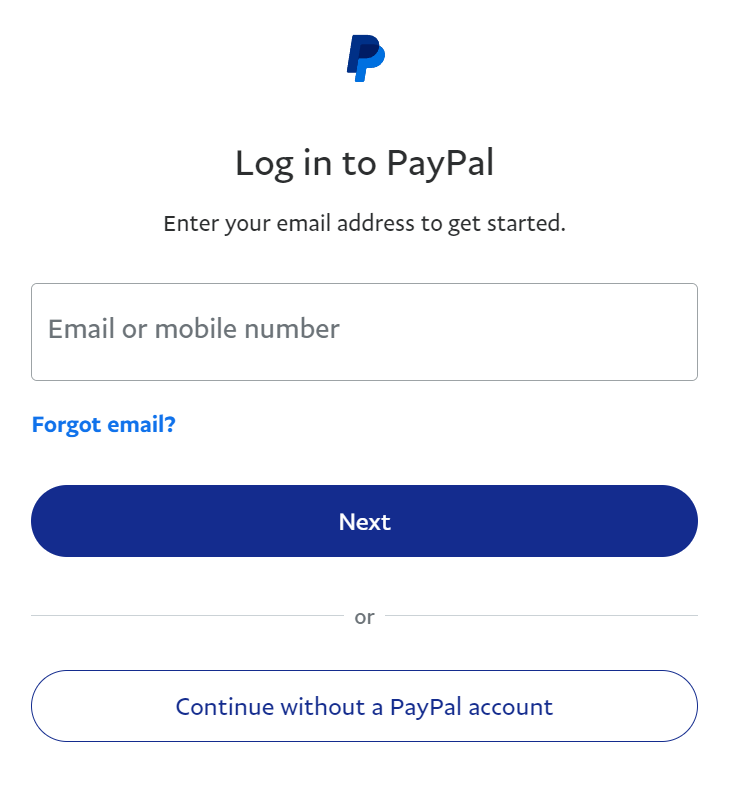
Review this preference in both the environment used for testing and the Live merchant account. Choose On for eligible card checkout without an account or Off when every buyer must use a PayPal account.
Open Ecommerce options and enable PayPal checkout.
Paste the Sandbox Client ID and Secret, save the options and use the built-in key test.
Use a test ecommerce gallery and confirm payments, webhooks and order status before switching environments.
Enter the separate Live Client ID and Secret and run the Live key test before public launch.