Contest Gallery documentation
Voting and comments
Configure the rating model, voter protection and a clear two-step vote-and-comment experience.
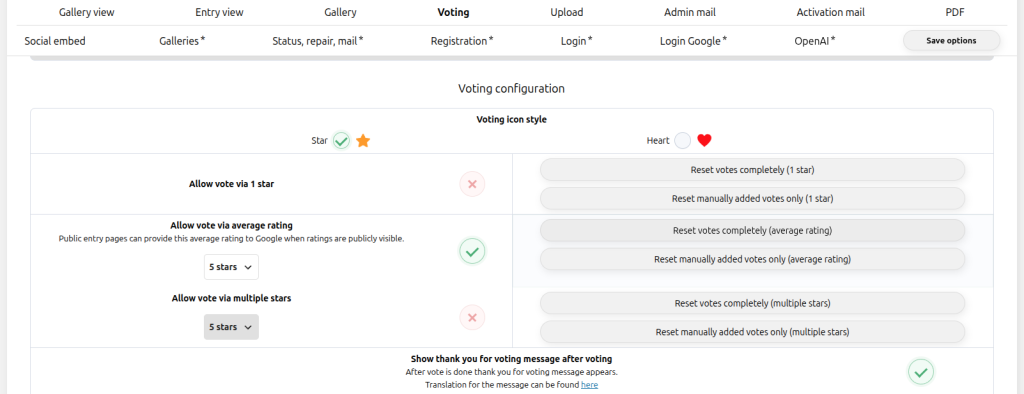
Select the rating model
Each vote is a favorite or popularity vote. The visible result is a total vote count.
Visitors select a value and the visible result is the average plus the number of ratings.
Selected values are added together for a points-based competition.
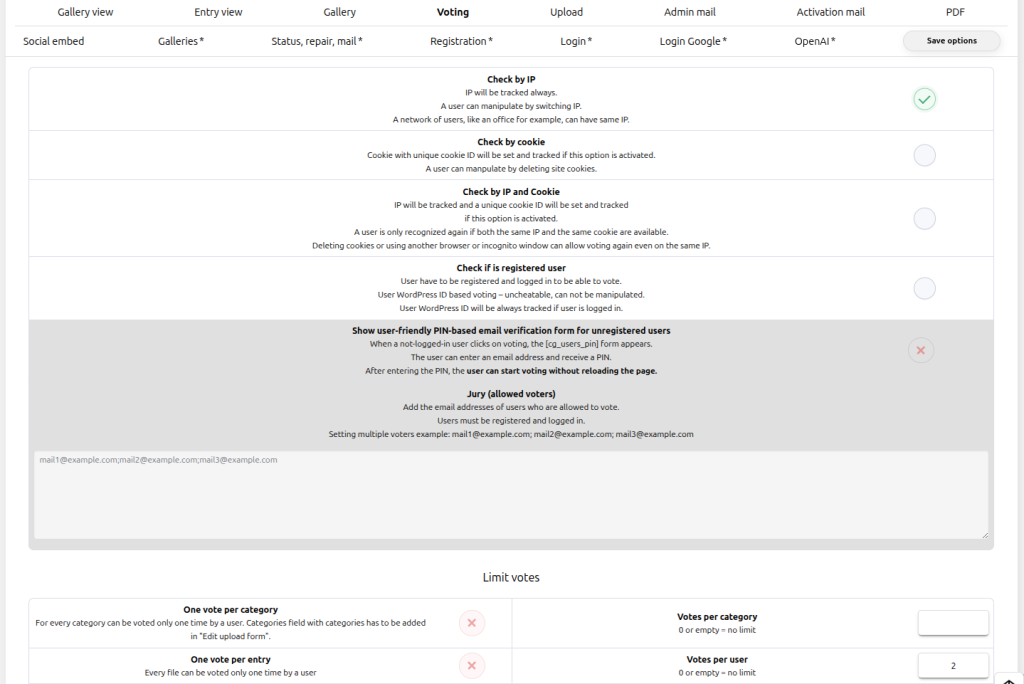
Recognize voters and set limits
Choose IP, cookie, WordPress login or email PIN recognition according to the contest. Then configure limits per visitor, entry, category or time period.
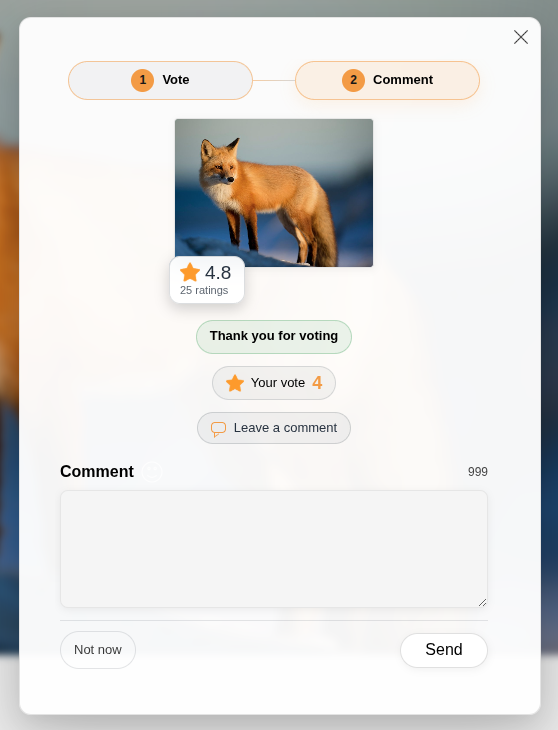
Combine voting and comments
The Vote and Comment mode offers three behaviors:
- Comment required: vote and comment are stored together after a valid comment is submitted.
- Comment optional: the vote is stored first and the visitor can add a comment in step two.
- Disabled: voting works without the two-step comment interaction.

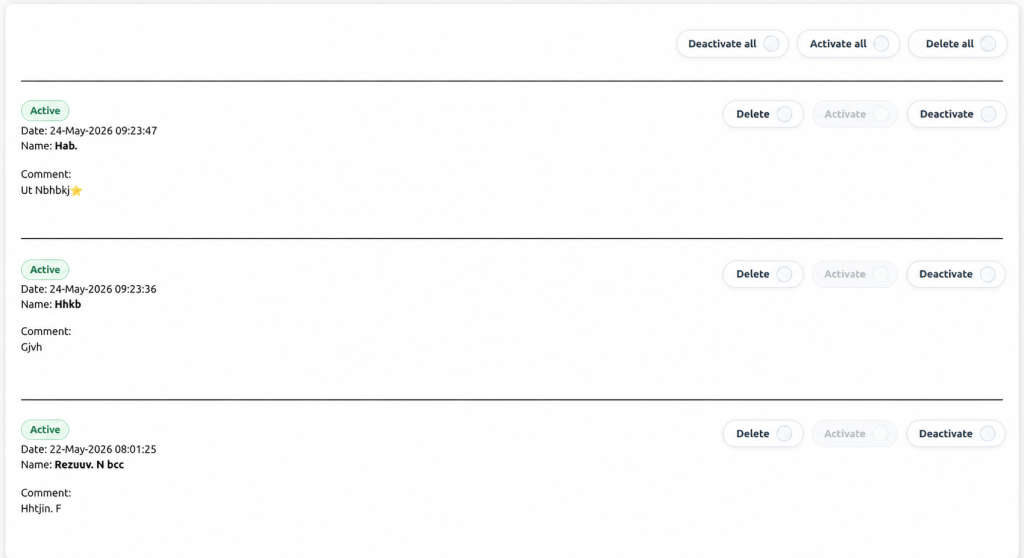
Review linked votes and comments
Linked vote badges are visible in frontend and backend comments. Deleting a linked vote also deletes its comment, and deleting the comment deletes its linked vote. Deactivating a comment hides it while the linked vote remains.