
Contest Gallery guides
Participation credits
Paid voting and comments for WordPress galleries
Offer paid participation with clear credit prices while preserving your voting and moderation rules.
Decide which participation should be paid
A gallery can offer paid voting or paid commenting when that fits the project’s participation model. Explain the credit price and action rules before a visitor starts the purchase.
Vote and comment credits are separate balances. A vote credit pays for a voting action under the gallery’s configured rules. It does not choose the star score or remove a voter’s limits. A comment credit pays for a comment action.
Set up paid voting and commenting
- Use a gallery created or copied with version 22 or later.
- Configure voting and comments for the normal gallery view.
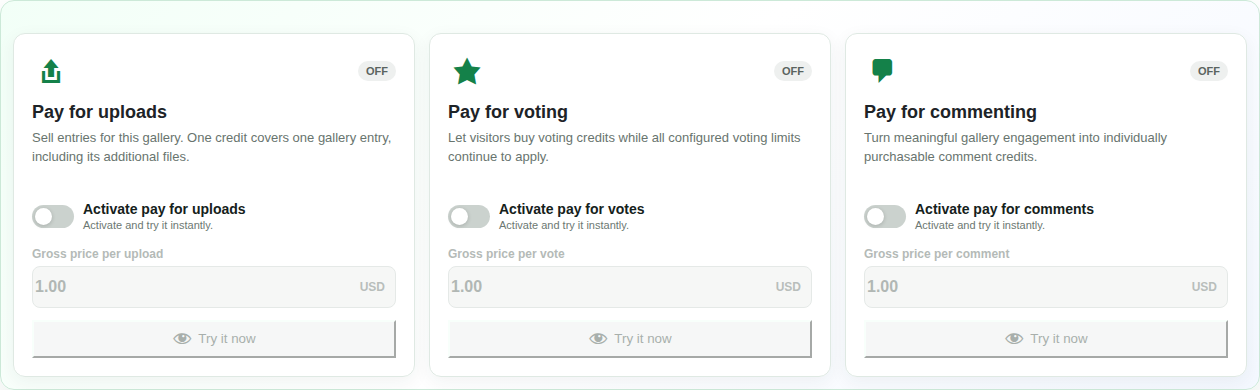
- Open Earning options and enable Pay for voting, Pay for commenting or both.
- Set a gross price for each enabled action and save the settings.
- Review live or private-preview status and the payment readiness.
- Check the visitor flow using the private credit preview.
Explain the purchase before the action
Visitors sign in, choose credit quantities and follow the supported checkout. Confirmed purchases become available on their WordPress account. The gallery shows their available action balances and checks them when they act.
A gallery can use one-star, average or cumulative voting. The chosen voting model, category limits, time windows and other restrictions continue to apply. Buying credits does not guarantee a vote is allowed outside those rules.
Check your combined vote-and-comment settings
If a comment is required for a vote, consider both action prices together. When both actions are paid, the combined submission needs the corresponding vote and comment credits. Make that requirement clear in the participation explanation.
If comments need moderation, payment follows the action workflow while public visibility follows the moderation rules. A paid comment should not be described as automatically approved.
Choose credit scope and manage balances
Credits can stay local to a gallery or be shared across participating galleries. Each action type remains separate. Choose the scope for the offer before visitors purchase credits.
PRO order administration provides audited balance adjustments. A full provider refund revokes unused credits from the refunded purchase. Consumed credits and partial refunds follow the existing order rules and should not be described as an automatic full credit reset.
Paid participation questions
Can FREE run real paid voting?
FREE offers private previews of upload, vote and comment credits. Real credit sales require PRO and a complete supported payment configuration.
Does the private preview save a vote or comment?
Yes. Valid preview actions are saved as marked test actions and can be visible after reload. The preview does not take a real payment. Reset test actions removes the gallery’s saved preview actions and returns their related test credits.
Does a shared vote balance also pay for comments?
No. Upload, vote and comment credits are separate types, even when their scope is shared across galleries.
Can my community still offer free interaction?
Yes. Enable paid actions only where they belong in your project. Other galleries or action types can keep their normal participation settings.