01 · Discover
Find a contributor in Participants or open a profile from an entry.
Contest Gallery member features
Messages & friendships
Let members connect through the people and content they discover in your galleries.
A photograph, video or useful resource can be the start of a conversation. Members open a public profile, choose Send message and write directly to that person. The message belongs to a private member conversation instead of the public entry comments.
Messages are also available from the member area. Members can return to their conversations and see unread-message indicators while using the gallery.
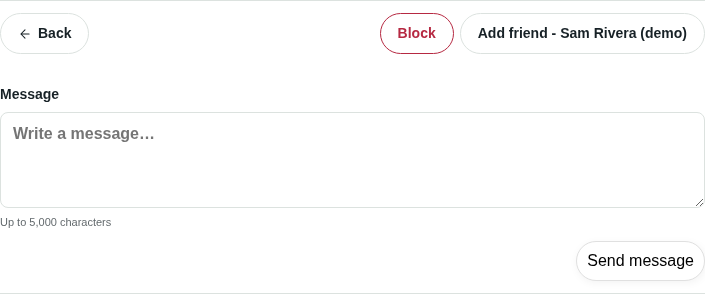
A friendship starts with a request. The recipient can accept or decline it. Members can withdraw a pending request, remove an existing friendship and explore confirmed friends from the profile.
People can discover each other through their published contributions. A friendship is a separate member decision.
Enable separate notifications for new private messages and friendship requests. Configure the sender information to fit your website. Message notifications are grouped until the recipient reads the conversation, helping avoid repeated emails for the same unread exchange.
In PRO, you can edit the email subject and content. An optional message-preview placeholder adds a short text preview to message emails when the operator includes it in the template.
Members can block and unblock another person. Blocking prevents new messages and friendship requests between the two members and removes their friendship. Unblocking allows contact again without automatically restoring the friendship.
Administrators can open a member’s conversation overview and disable their ability to send new messages and friendship requests. Existing conversations remain readable. Private messages are visible to the people in the conversation and administrators with the required access.
The global community setting lets the operator turn private messages and friendships off while preserving existing conversations and connections.
Find a contributor in Participants or open a profile from an entry.
Read public information and browse published contributions.
Sign in to send a message or request a friendship.
Use Messages and Friends in your member area.
Yes. Both editions include the core private-message and friendship features. Editing the notification email subject and content is a PRO feature.
A friendship is not required to start a conversation from an available member profile. Members sign in before sending a message. Contact and blocking rules still apply.
It is private member messaging. Active views check for updates periodically. It is designed for conversations within the member experience.
Guests can browse available public profiles. Sending messages and managing friendships require sign-in.
Use profiles and shared content to help people meet. Offer private messages and friendships when they fit your community.
Understand incoming, outgoing and confirmed connections.
Build a directory around published work and chosen public fields.